
Price for demand, with guardrails.
Demand-aware pricing your operators can trust.
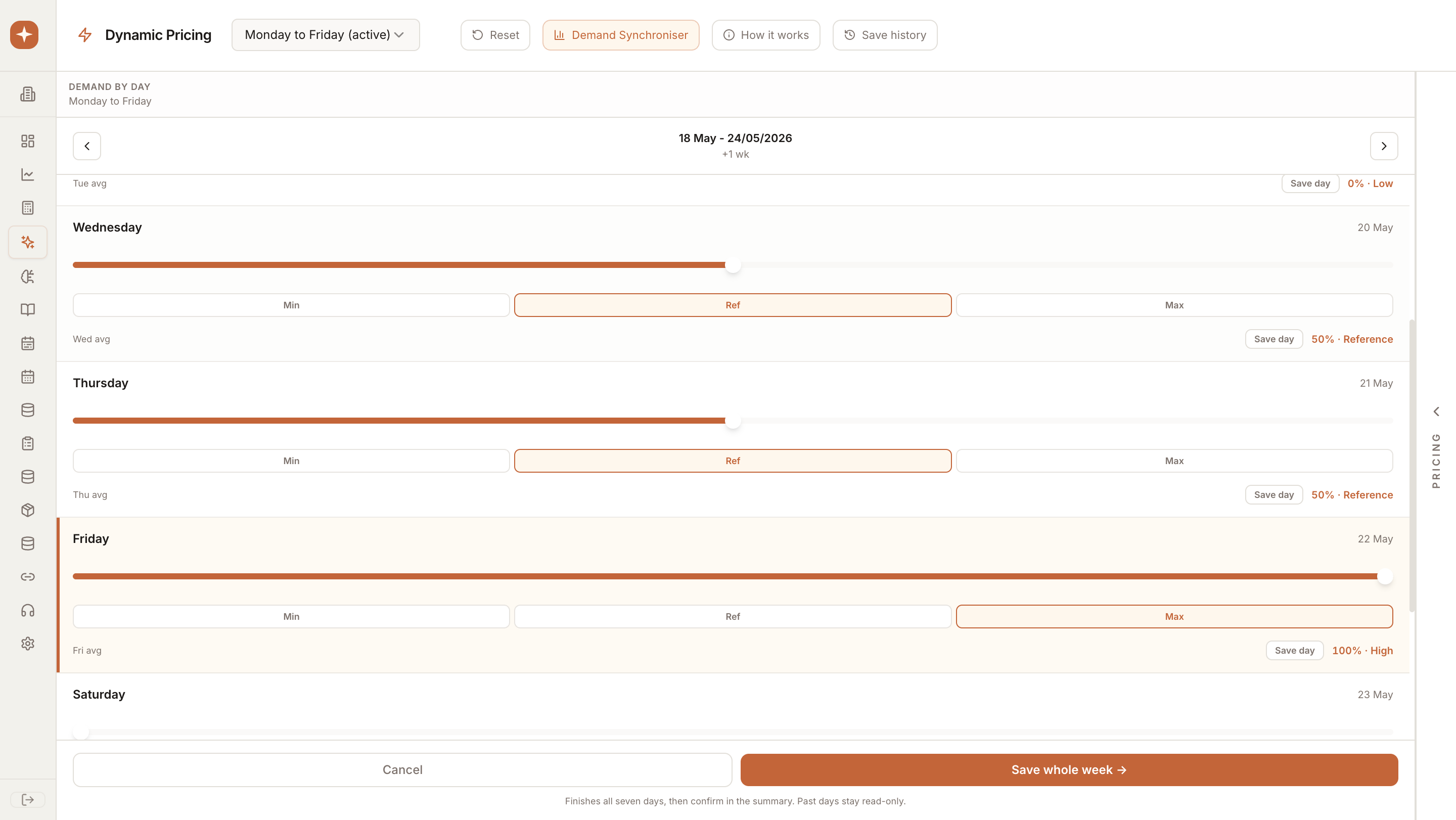
Align every item to the day, service, and demand window with a transparent revenue impact preview. Approve once and PulseMenu pushes prices to POS, digital menus, and printable PDFs in lockstep.
Why teams choose Dynamic Pricing
Set min/ref/max per item and let PulseMenu align the menu to each day of service with a transparent revenue impact preview. Guardrails keep every price within brand-safe ranges.
Core capabilities
Everything you need from Dynamic Pricing, ready on day one.
Guardrails first
Min, reference, and max price per item — never out of brand.
Per-day rules
Weekday, weekend, and event-day pricing that ships in one click.
Impact preview
See expected revenue and cover impact before any change goes live.
In practice
How Dynamic Pricing fits into your existing operations.
Set guardrails
Define min/ref/max per item across menus.
Sync demand
PulseMenu maps demand signals to each day of service.
Publish
Approve impact previews and push prices to POS and digital menus.