
Auto-hide what you can't serve.
A menu that always reflects what's actually available.
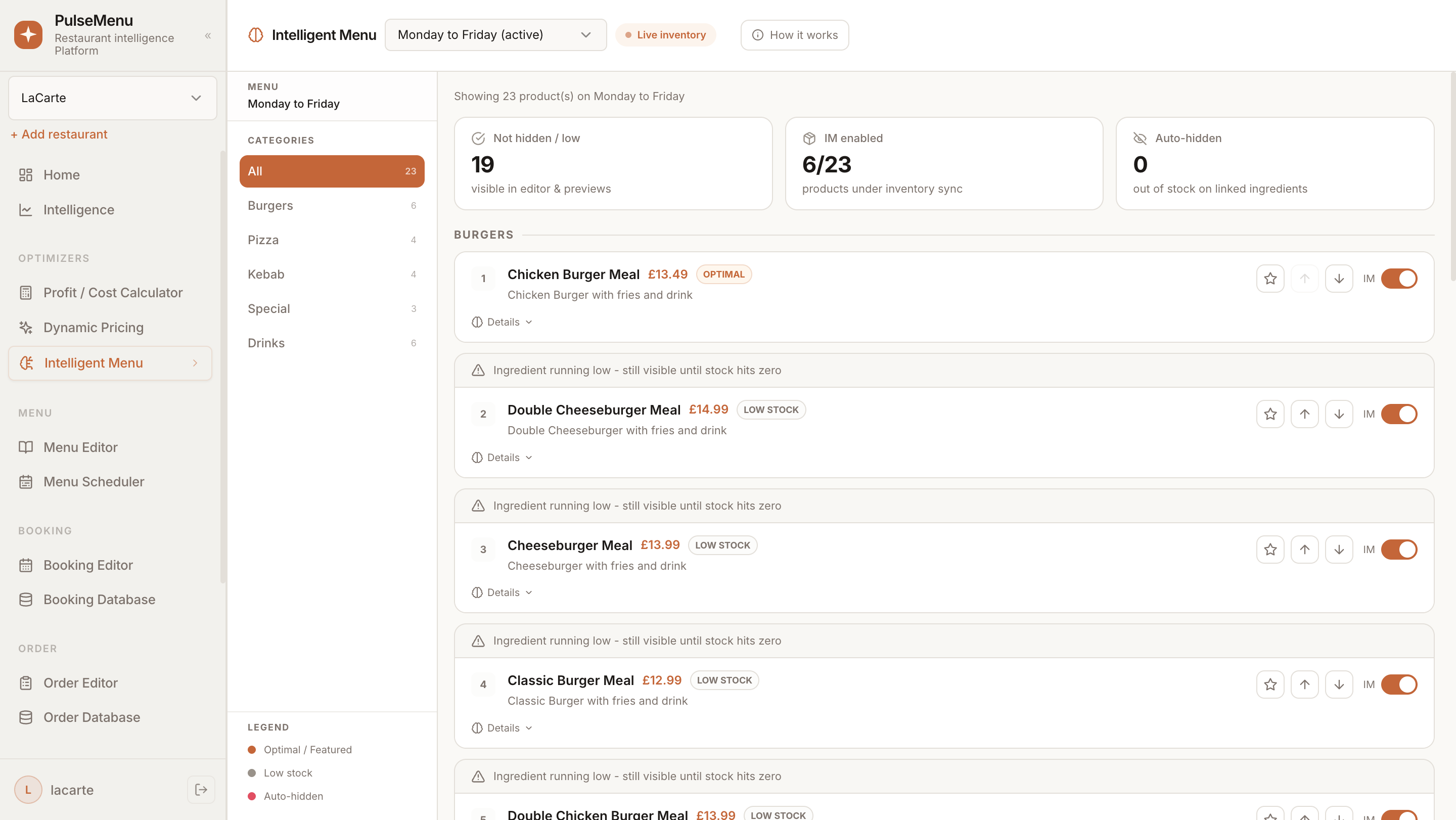
Recipes are linked to live stock, so dishes hide automatically the moment an ingredient runs out. No more crossed-off menus mid-service — front of house only ever sees what the kitchen can deliver.
Why teams choose Intelligent Menu
Track stock by ingredient and recipe. Dishes hide automatically when ingredients run out — no more crossed-off menus mid-service. Front of house sees only what the kitchen can deliver.
What sets it apart
Intelligent Menu goes beyond the basics — here's where it earns its place.
Live availability
Recipe ↔ inventory link keeps the menu honest in real time.
Recipe-level
Tracks every component, including sub-recipes and modifiers.
Zero downtime
Front of house never offers a dish that can't be made.
Step by step
How Intelligent Menu moves from setup to live in your venues.
Link recipes
Connect every dish to its ingredients and yields.
Track stock
Sync from inventory counts, POS, and supplier deliveries.
Auto-publish
Unavailable dishes disappear from digital menus instantly.