
Manage stock the way kitchens think.
Ingredients, suppliers, and yields — connected to every recipe.
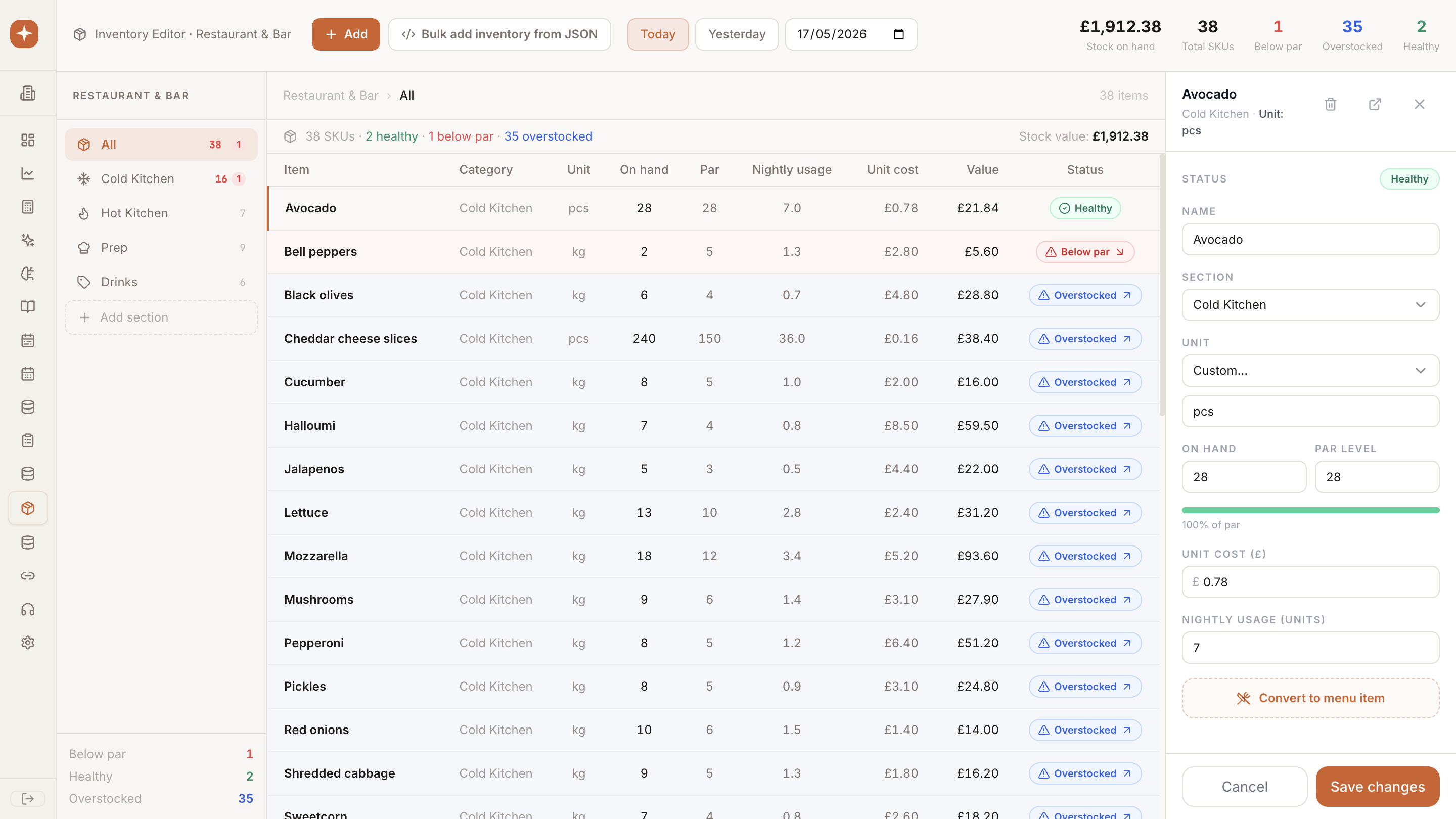
Ingredients, suppliers, units, and yields in one connected ledger. Unit-aware conversions and recipe links mean stock and recipes share a single source of truth across the group.
Why teams choose Inventory Editor
Track ingredients, suppliers, units, and yields — connected directly to recipes so menus reflect reality. Built so head chefs and finance see the same numbers.
Core capabilities
Everything you need from Inventory Editor, ready on day one.
Unit-aware
Switch between buying, recipe, and counting units with no math.
Yields
Trim, cook, and prep losses baked into every cost.
Recipe-linked
Stock and recipes share one ingredient graph.
Step by step
How Inventory Editor moves from setup to live in your venues.
Catalog
Import ingredients, suppliers, and pack sizes.
Map
Connect ingredients to recipes with yields and conversions.
Operate
Track stock, deliveries, and waste in real time.